
464 PostgreSQL Extensions Out of the Box: Launching the New PG Extension Catalog

Today I put Claude Code to work on another project: building a brand-new PostgreSQL extension catalog, now live at https://pigsty.cc/ext.
This is actually the fifth iteration of the catalog. After coming full circle through several web frameworks, it is back on Hugo + Docsy—the exact stack I used for v1—and merged back into the main Pigsty site. That journey is a story of its own, which I will get to later. First, let’s look at what is new in this release.
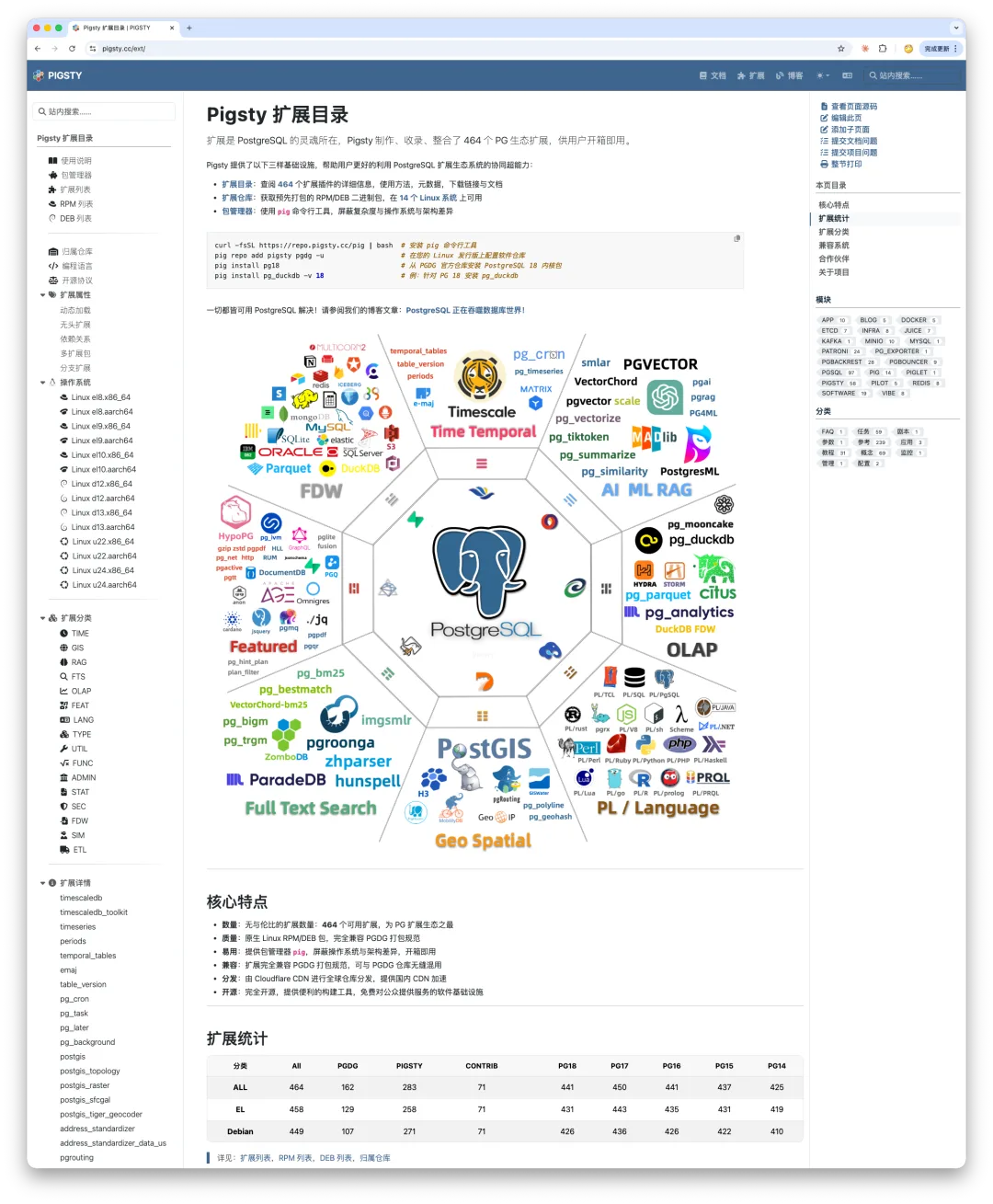
More Than Packages: Documentation Included
Previous versions of the extension catalog focused on packaging metadata: what an extension is called, where its source lives, where to download the binary packages, and how to install it with a single command. Once it was installed, figuring out how to actually use it was your problem—you had to go hunt down the docs yourself.
This release changes that. With AI assistance, we are systematically collecting and translating the documentation for all 464 extensions so you can find the essential usage details in one place.
In practice, extensions fall into two categories:
For massive, book-length extensions, we build dedicated documentation sub-sites. Heavyweights like Citus, TimescaleDB, and PostGIS each have enough documentation to fill a book and deserve standalone treatment.
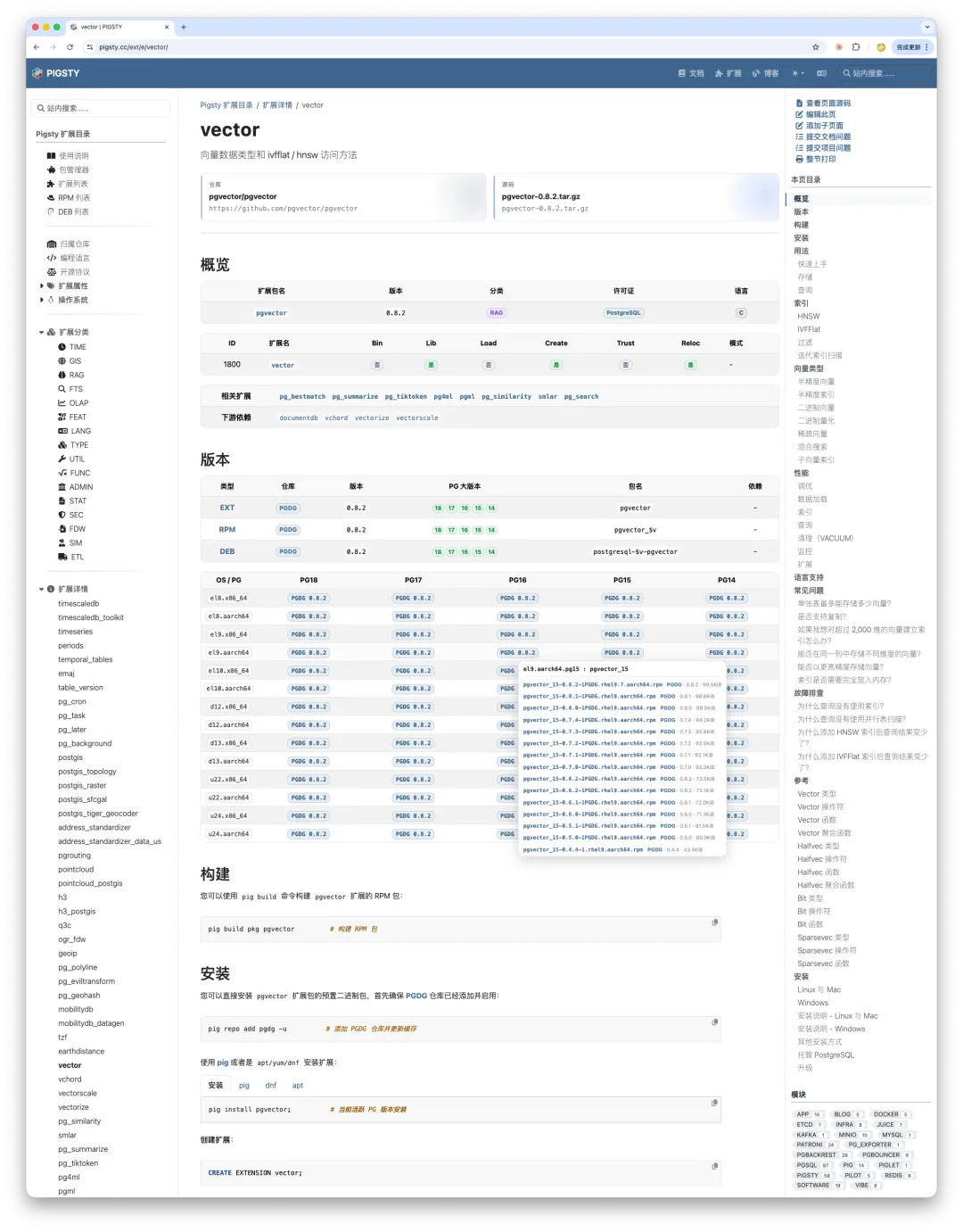
For most lightweight extensions, things are much simpler—their entire documentation is usually a single README. Take pgvector, the most popular vector search extension in the PostgreSQL ecosystem: its entire documentation fits on a single page.
Or take pg_repack, the go-to operational tool for reclaiming table bloat online—its documentation is also just a single Markdown file.
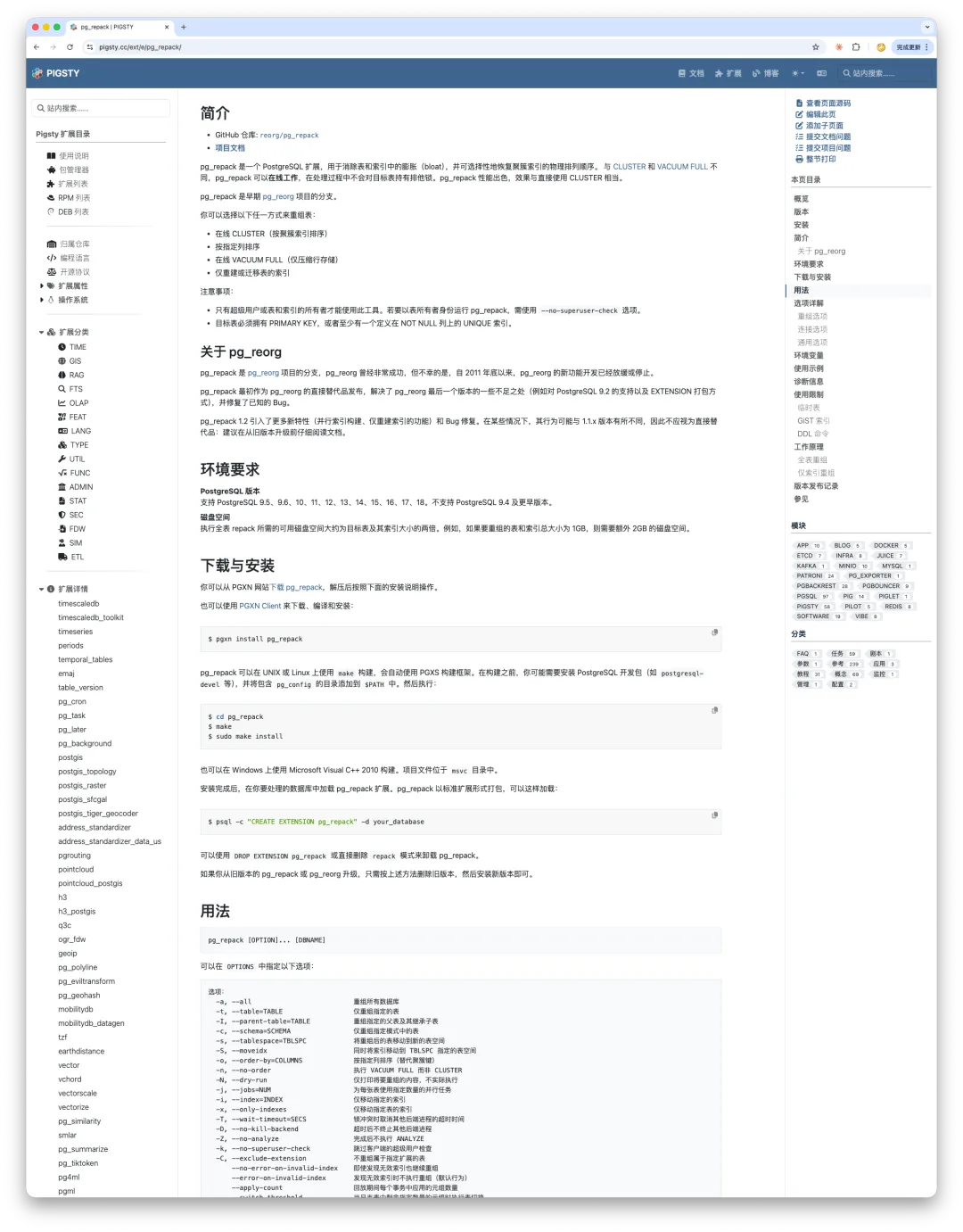
Our goal is to collect all of these READMEs and embed them directly into each extension’s detail page. Instead of bouncing across GitHub repositories, you can read the core documentation for every extension in one centralized catalog. For the massive extensions, we also aggregate an index of key resources so the catalog serves as an authoritative reference point.
So far, pigsty.cc has already translated the complete documentation for PgBouncer, pgBackRest, and Patroni. Over time, we will roll this out across every extension—and the PostgreSQL core documentation itself—and keep it continuously maintained.
I Translated the Docs for Three Core PG Components in a Day
That ties into our broader vision: becoming a reliable source of truth for critical information across the PostgreSQL ecosystem.
Honestly, a lot of this happens whenever I have leftover AI token quota after finishing my day job. Rather than letting those tokens expire, I put them to work filling in these documentation gaps—a way to get full value out of the quota while doing some public good for the community.
Built for Both AI Agents and Humans
Now let’s look at how the catalog is designed.
Even though the tech stack came full circle back to Hugo + Docsy, having Claude Code in the loop makes it possible to push a pure static site much further than before. Throughout the design, I followed one core principle: make it friendly to both AI agents and human readers.
Being agent-friendly means the site’s source is open, written in Markdown, and follows a strict rule: minimize noise. The Markdown source shouldn’t be cluttered with raw HTML shortcodes or formatting boilerplate that gets in the way when an AI agent parses and reads the page.
Being human-friendly means organizing dense data into clean, visual layouts so readers can spot issues and zero in on key information at a glance.
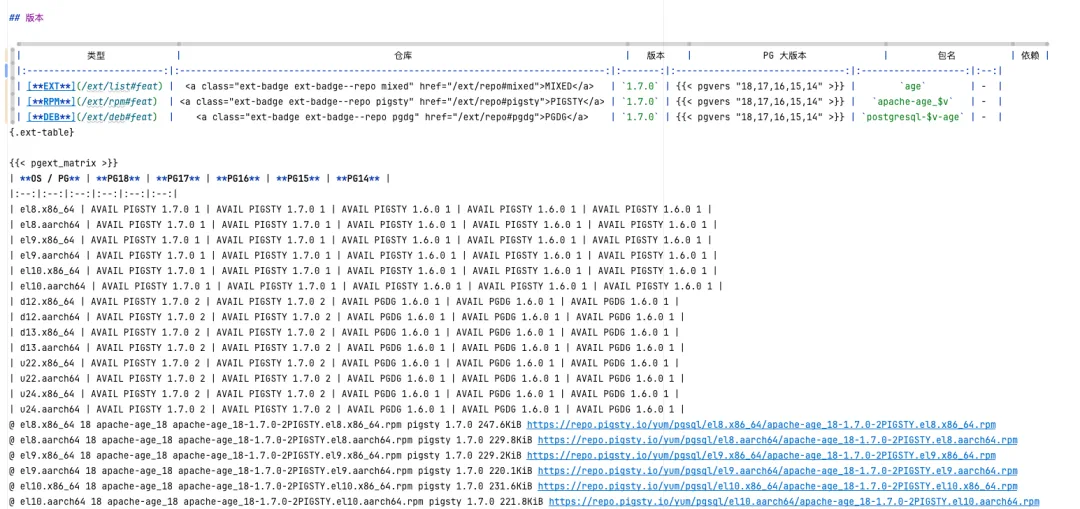
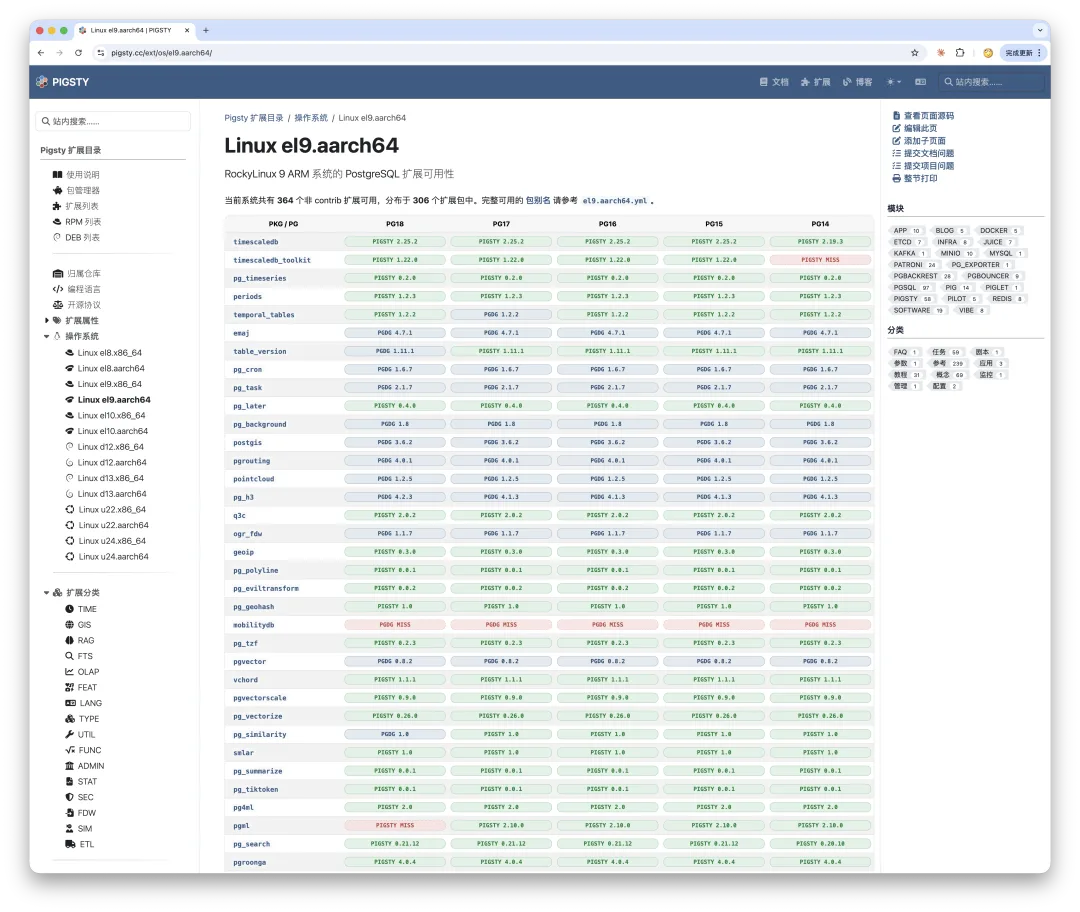
Here is a concrete example. In this version, we consolidated the entire availability matrix across PostgreSQL versions and Linux distributions into a single master table. For any given PG version and OS combination, each cell shows exactly how many packages are available and which repository provides them—and you can click straight through to download.
Instead of building this with tangled inline HTML, I kept the source in standard Markdown wrapped in a lightweight Hugo shortcode. Hugo handles the structural transformation at build time, and custom CSS turns the plain Markdown table into a clean visual matrix.
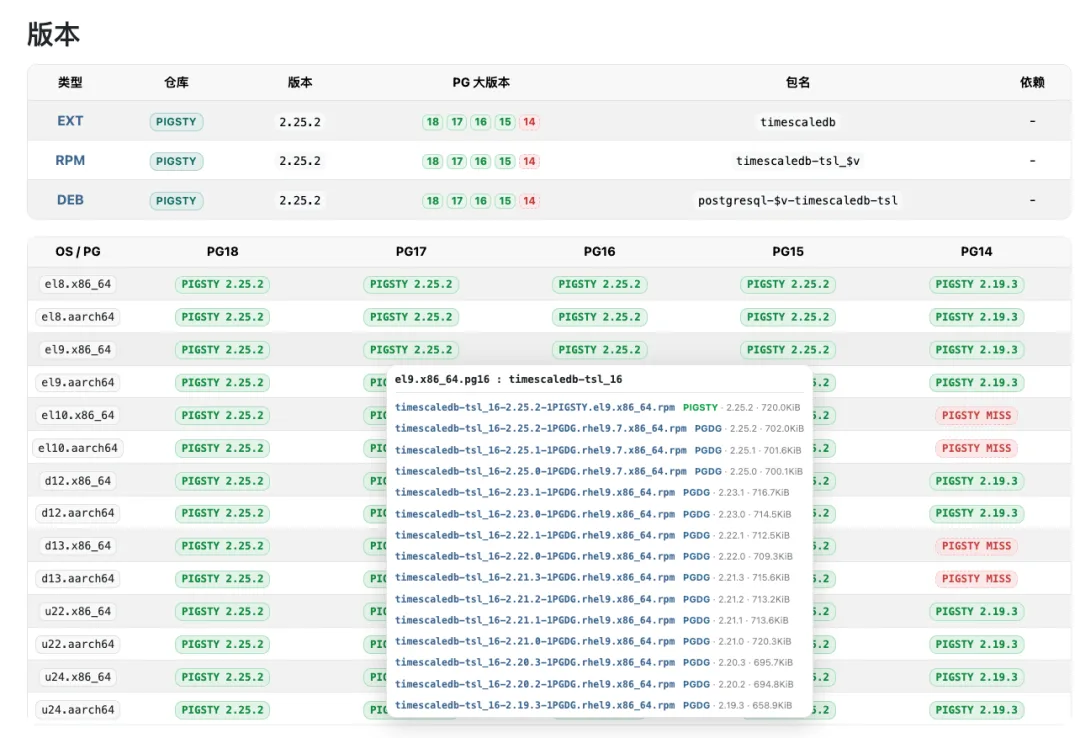
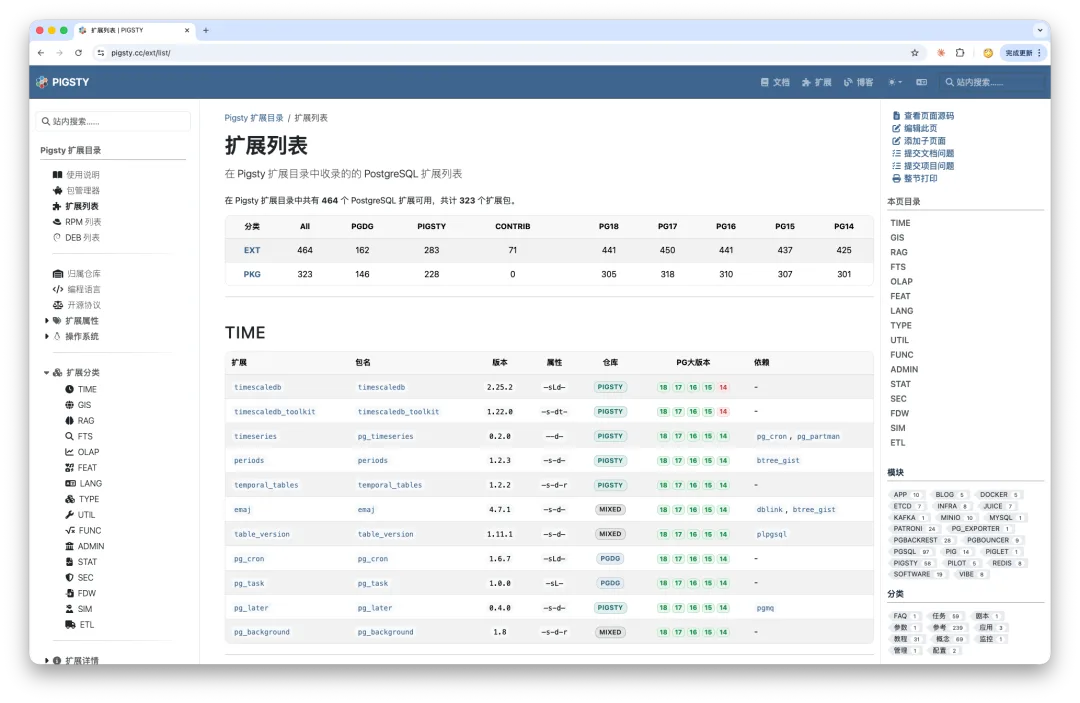
We also added categorized index lists that slice extension metadata across multiple dimensions for quick lookup and filtering, alongside a much better on-site search experience.
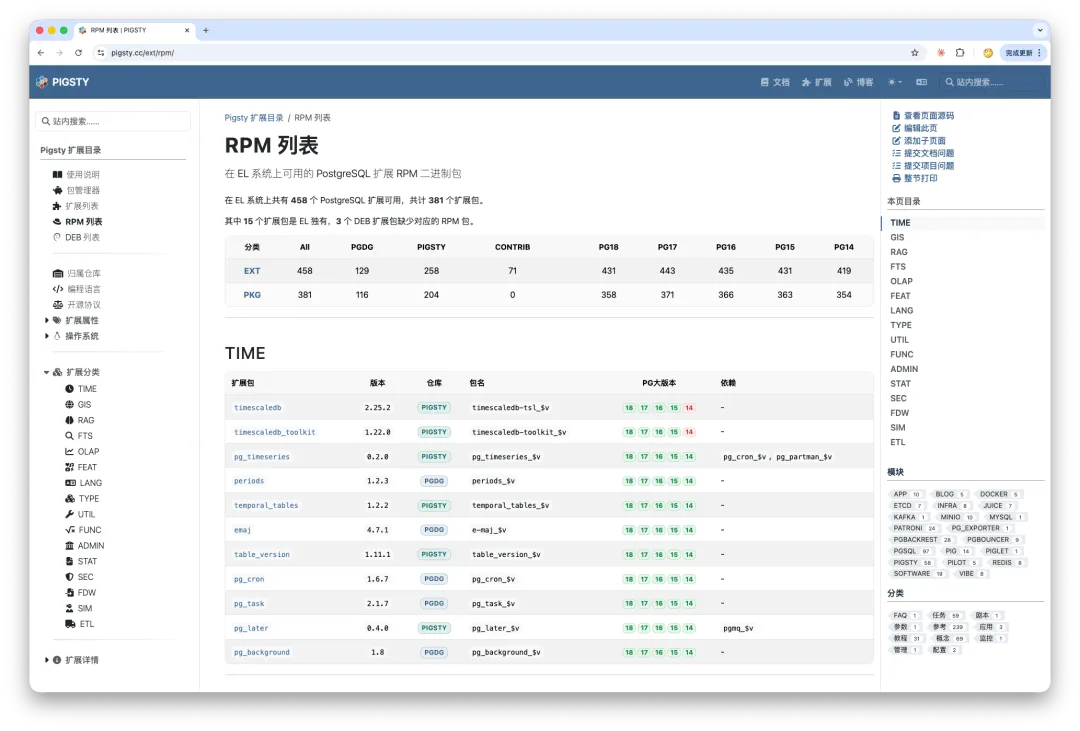
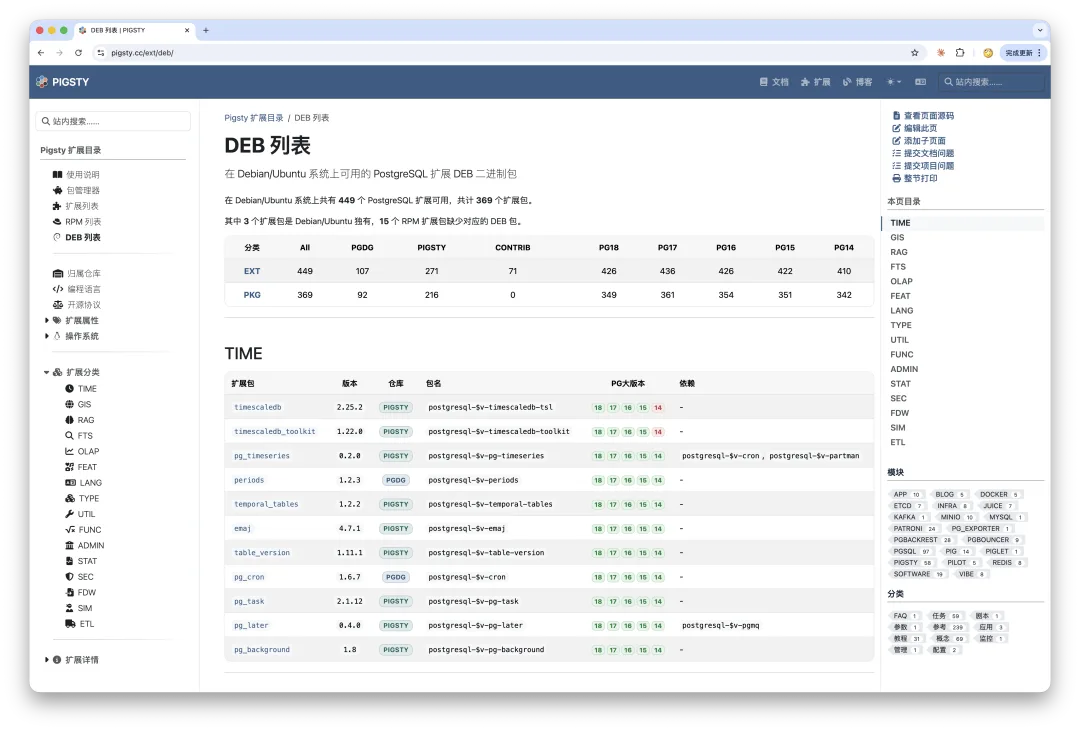
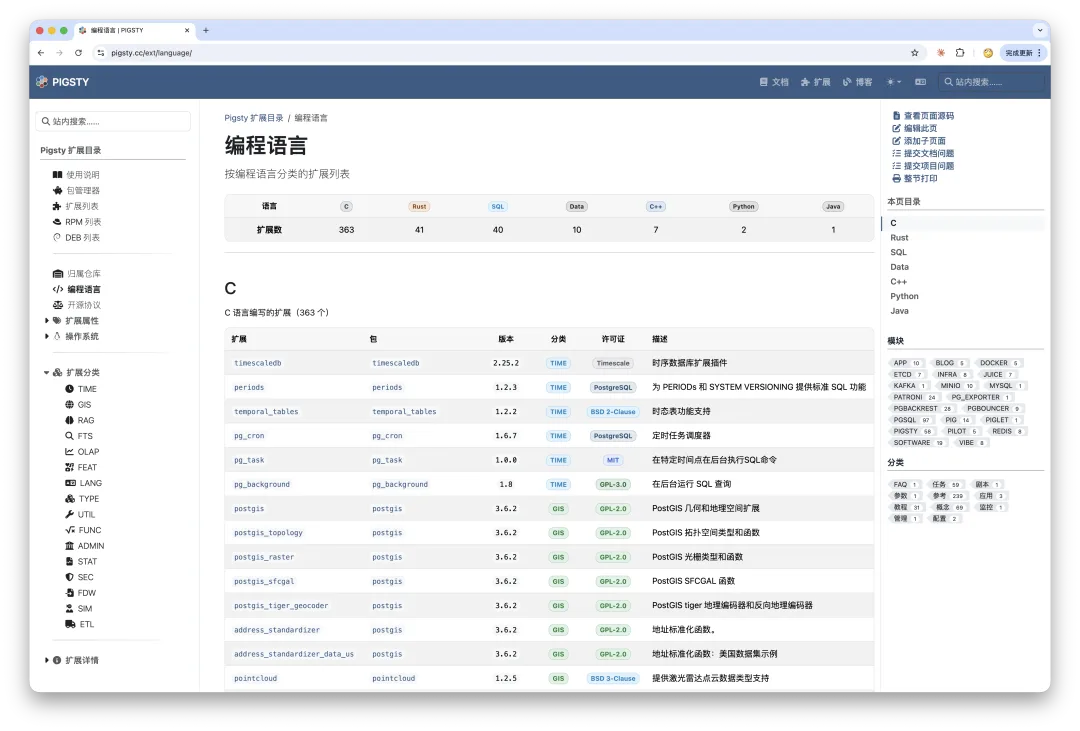
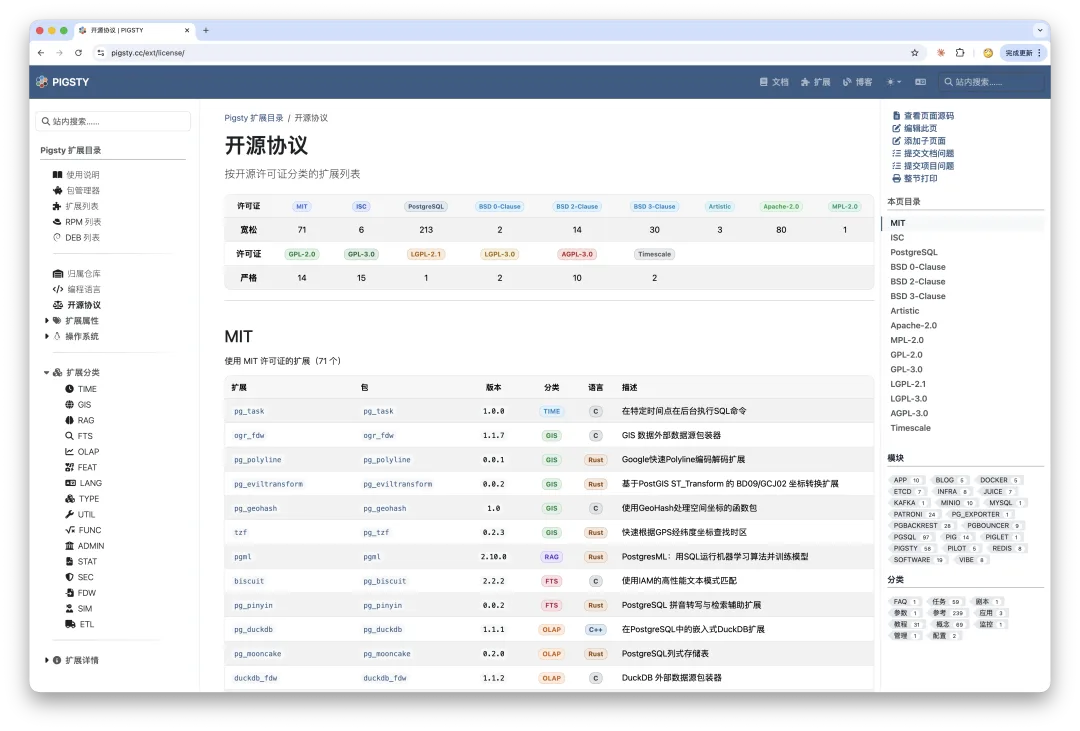
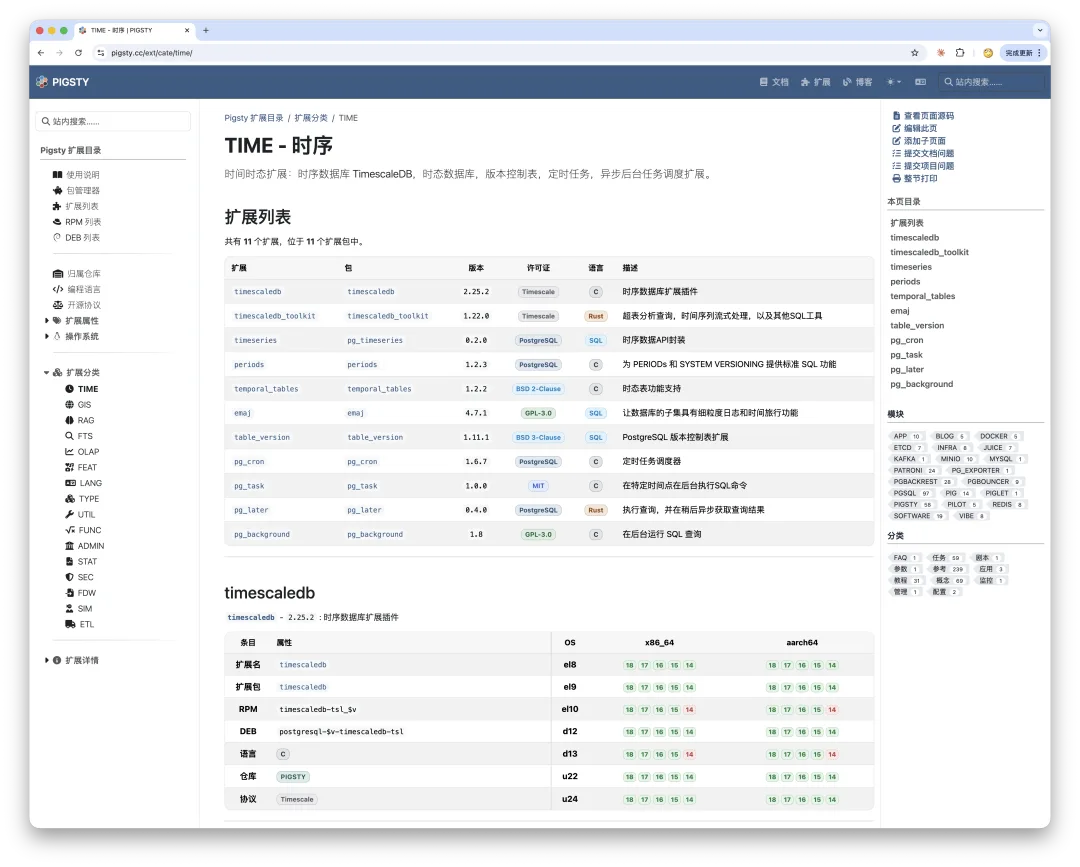
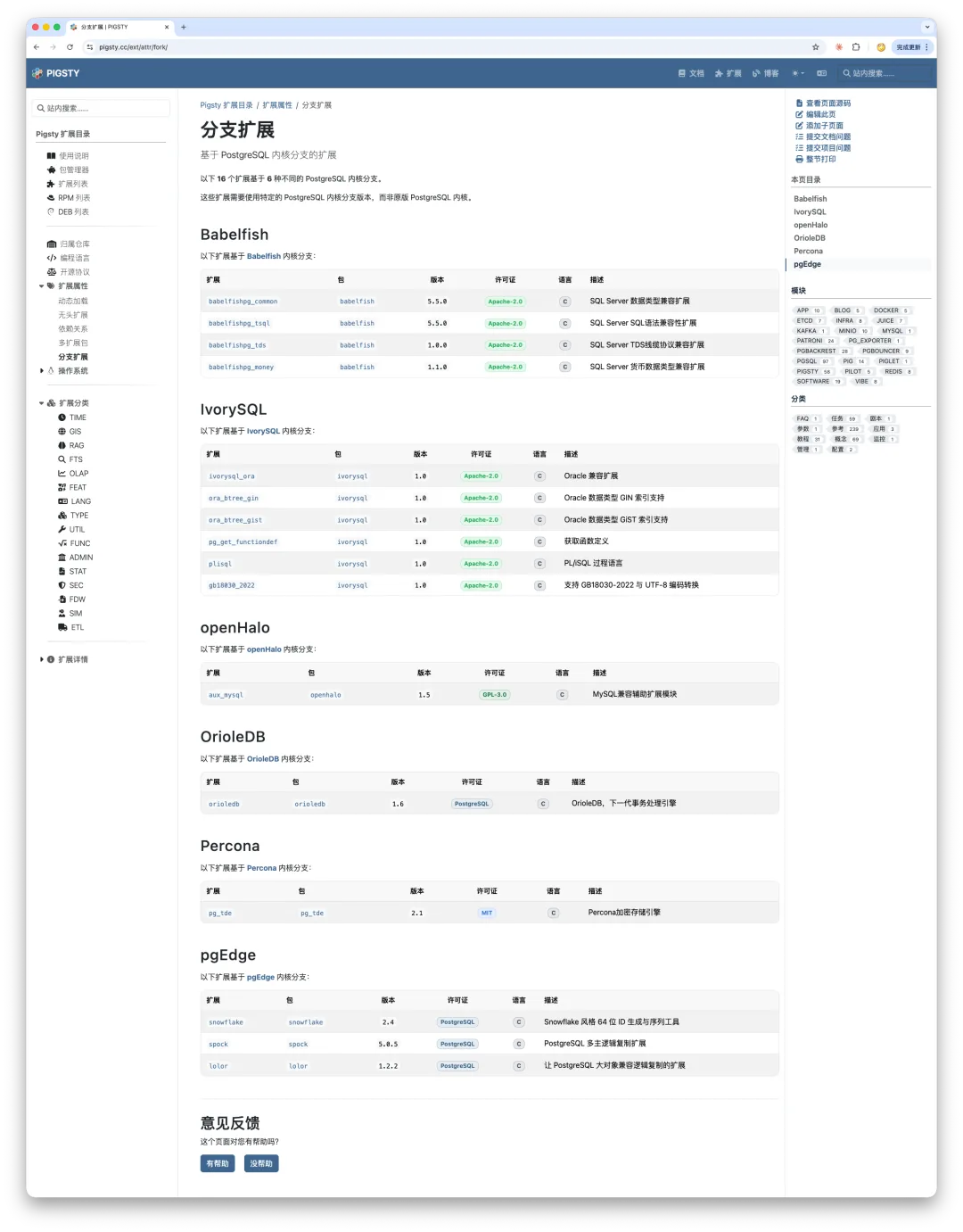
In addition, this release catalogs extensions that are exclusive to specialized PostgreSQL kernel forks:
Five Iterations, Full Circle
Finally, let’s talk about a less technical topic that still left an impression on me: choosing a documentation framework.
From its first release to today, this extension catalog has gone through five iterations:
- Hugo + Docsy (v1, integrated into the main Pigsty site)
- Docsify
- Next.js
- Hugo + Hextra (standalone site at
pgext.cloud) - Hugo + Docsy (v5, back on the main Pigsty site)
The standalone pgext.cloud domain in the middle was hosted behind Cloudflare without a Chinese ICP filing, and users in mainland China reported flaky access and suspected GFW interference. After weighing the options, I decided to bring it back under a properly registered domain.
Version 1: Built with Hugo + Docsy (the same stack as v5)
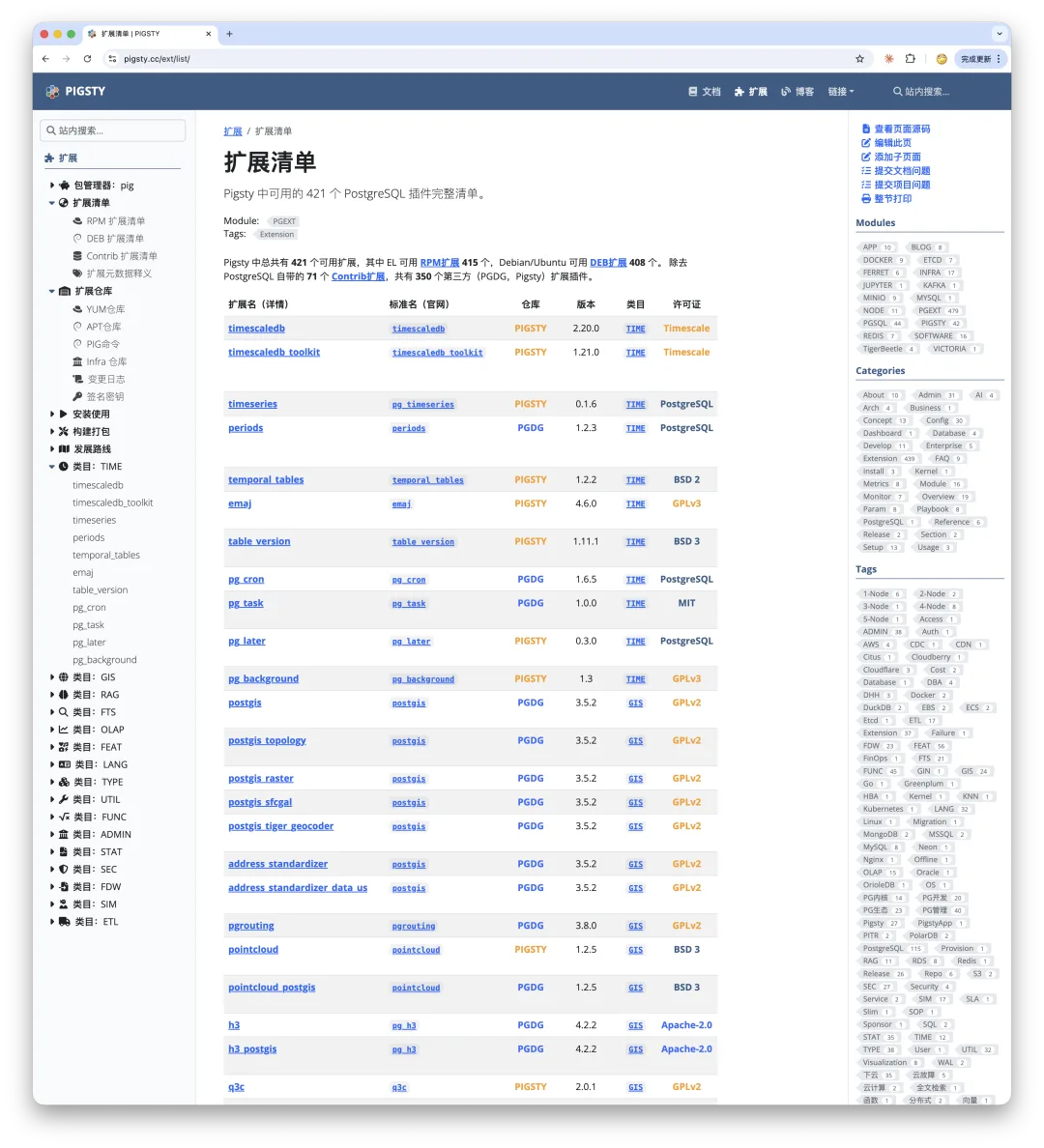
Version 2: Built with Docsify
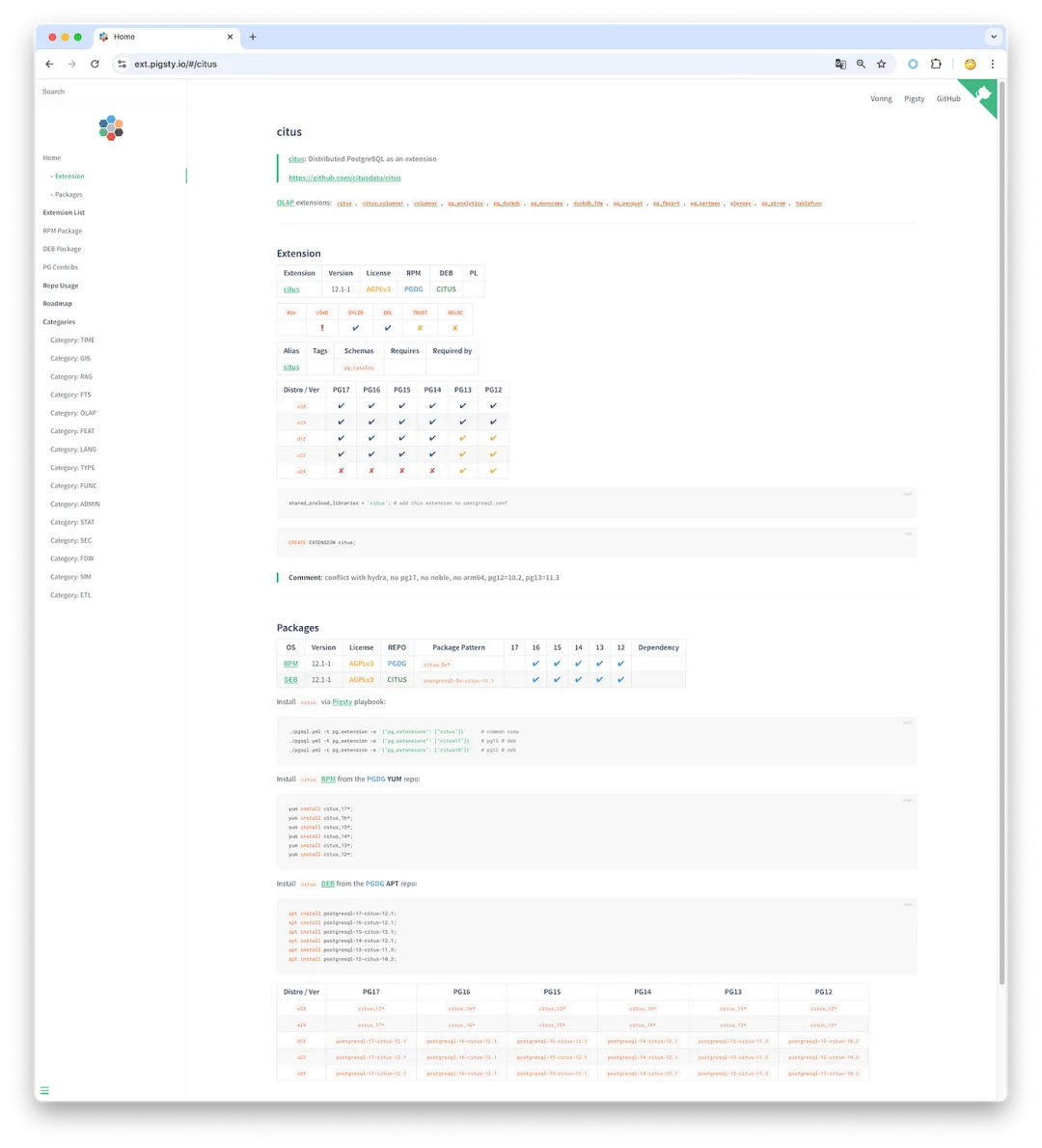
Pig: The Postgres Extension Wizard
Version 3: Built with Next.js + Fumadocs
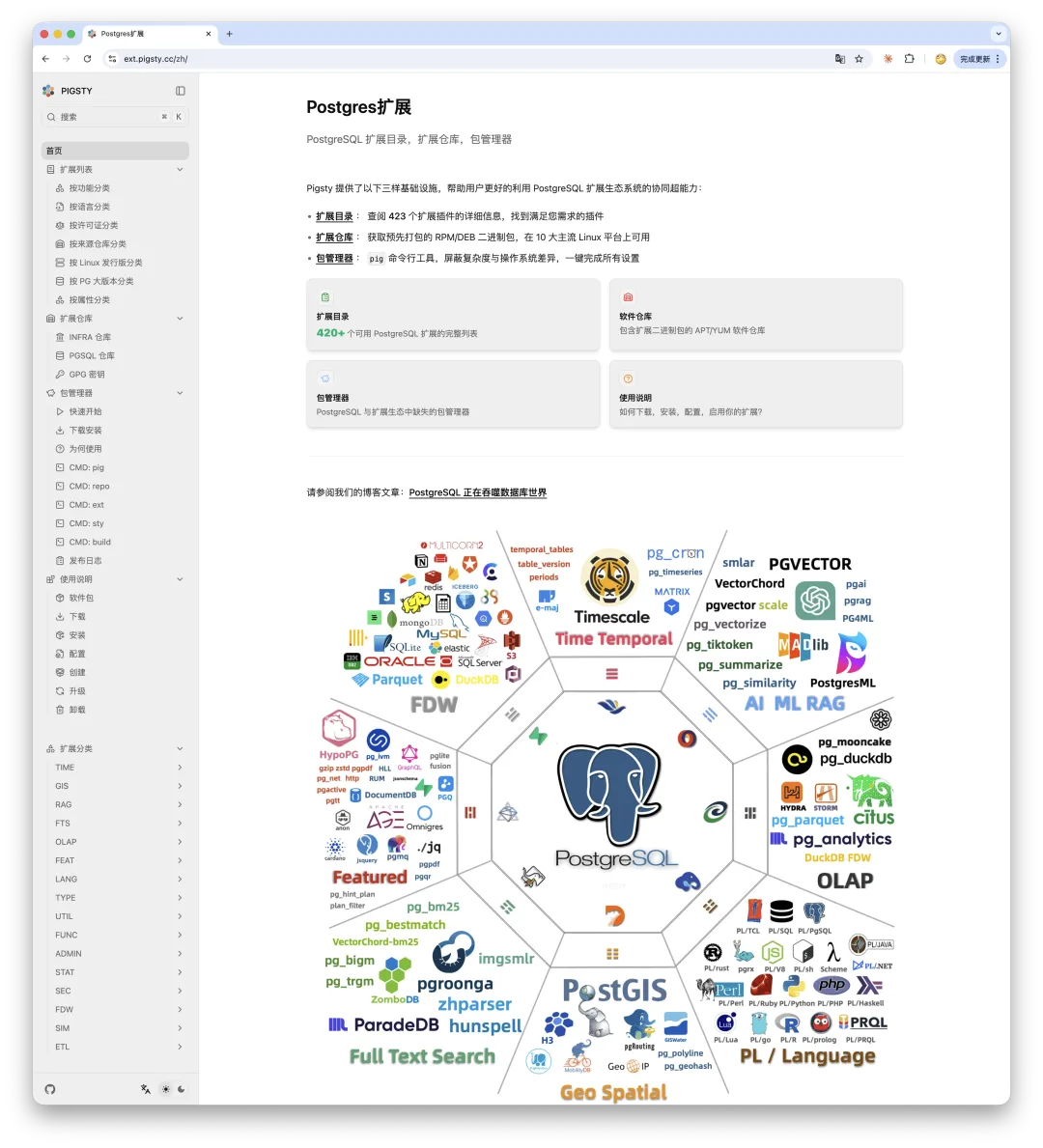
- A Veteran DBA Dives Into Modern Frontend — Eventually I got fed up with the operational headaches of running a dynamic site and went back to static site generation.
Version 4: Built with Hugo + Hextra
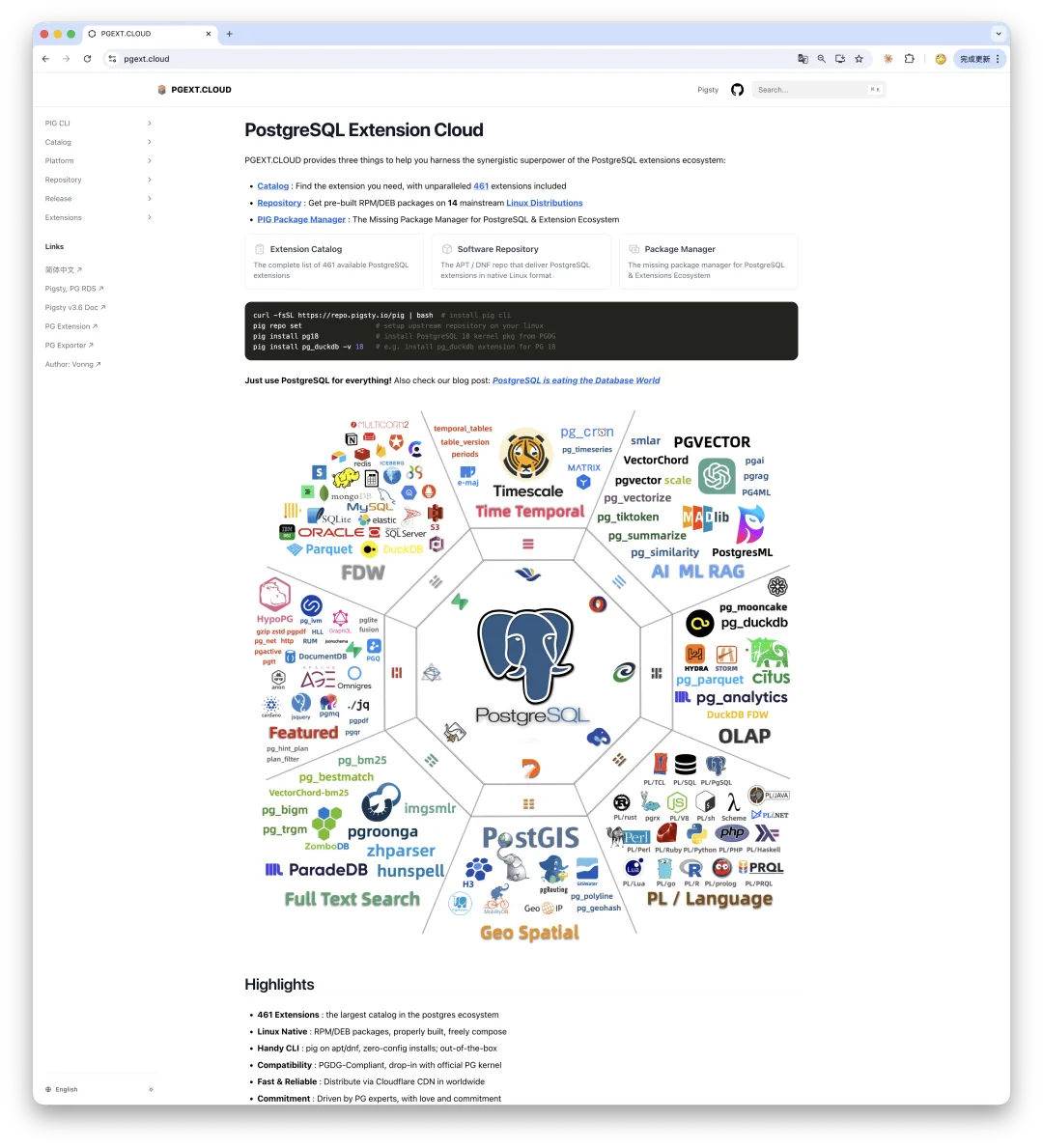
PG Extension Cloud: Unlocking PostgreSQL’s Entire Ecosystem
Hextra is another lightweight Hugo theme with a Fumadocs-like feel. I really like it—it is a great fit for smaller projects, tutorials, and translated books, and I use it across several of my own books and side projects. For a sprawling, large-scale documentation site, however, it starts to show its limits.
Version 4 lived on the standalone pgext.cloud site. Because it ran behind Cloudflare without a domestic ICP license, mainland users kept running into intermittent connectivity issues—which is ultimately why I moved the catalog back to our registered primary domain.
Version 5: Hugo + Docsy
The takeaway after all this experimentation is simple:
If you are building a static documentation site, just use Hugo. Docsy is maintained by Google and powers the documentation for Kubernetes and etcd. Its fundamentals are solid, search works well, the information architecture is clean, and it is still actively maintained. Use Hextra for lightweight sites, and reach for Docsy when you need heavy-duty scale. If you genuinely need a rich, dynamic web app, Next.js is worth considering—though it can get heavy fast.
I have used Hugo for nearly a decade, and it has never let me down. After experimenting with all kinds of shiny new stacks, the framework I picked six or seven years ago turned out to be the right answer all along. It is another reminder that solid, boring technology wins. What makes a documentation site valuable isn’t flashy frontend engineering—it is the quality of the information inside. Content is still king.
Would those hours of framework-hopping have been better spent recording video tutorials or writing hands-on case studies? Maybe. But going full circle gives you a concrete understanding of the landscape, the trade-offs between stacks, and a sharper eye for web design. That experience is worth something on its own.
Besides, tinkering is half the fun.

Originally published on WeChat Official Accounts